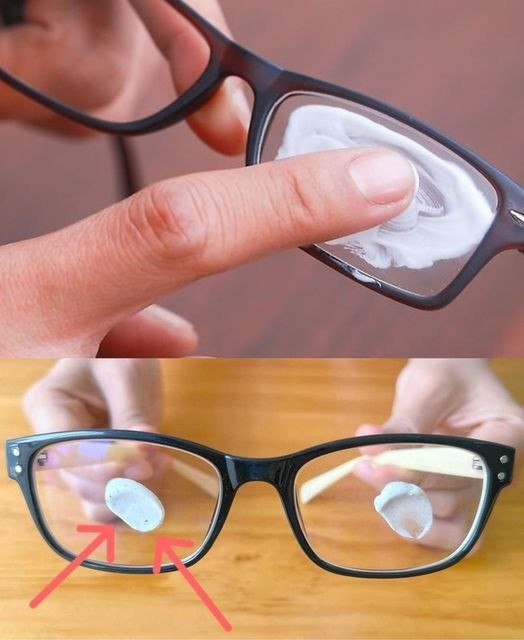
👓📷 Scratches on lenses
Scratches on lenses refer to fine cuts or marks on the surface of glass or plastic lenses, such as:
- 👓 eyeglasses
- 📷 camera lenses
- 🔭 binoculars or telescopes
- 📱 phone camera covers
🧠 What causes lens scratches
Common reasons include:
- 🧼 Cleaning with rough cloths or tissues
- 🪨 Dust or sand particles being rubbed across the surface
- 🔑 Contact with hard objects (keys, metal, coins)
- 😬 Improper storage without a case
- 🧴 Using harsh cleaning chemicals
👁️ How scratches affect vision or image quality
👓 Eyeglass lenses
- Glare and light scattering
- Reduced clarity, especially at night
- Eye strain or headaches in severe cases
📷 Camera lenses
- Loss of sharpness or contrast
- Visible flares or haze in bright light
- Reduced image quality in critical areas
⚠️ Can scratches be fixed?
- Minor scratches: sometimes reduced with polishing kits (limited success)
- Deep scratches: usually cannot be fully repaired
- Best solution is often lens replacement
🛡️ How to prevent scratches
- 🧴 Clean only with microfiber cloth
- 💧 Use lens cleaning solution (not dry wiping)
- 🧳 Store in a protective case
- 🚫 Avoid paper towels, shirt fabric, or rough materials
- 🧼 Rinse dust off before wiping (prevents abrasion)
🧠 Simple summary
Scratches on lenses are physical damage to the surface caused by abrasion, which can reduce clarity and are often difficult to fully repair.
